Navigating the Electronics Landscape: A Comprehensive Comparison of Popular Product Categories
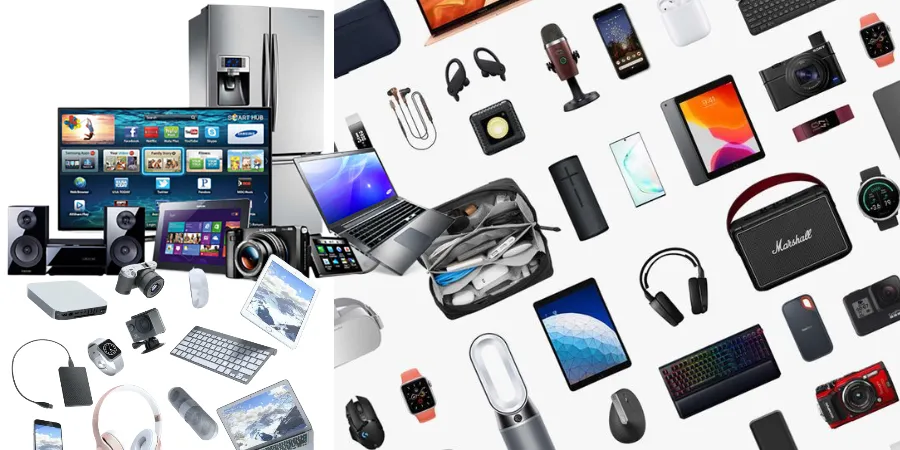
The world of electronics is a vast and ever-evolving universe, offering a dazzling array of devices designed to enhance our lives, streamline our tasks, and entertain us endlessly. From the smartphones in our pockets to the smart home devices that orchestrate our living spaces, electronics have become an indispensable part of modern existence. However, with so many options and categories, making informed purchasing decisions can feel like navigating a labyrinth. This comprehensive comparison aims to demystify the electronics landscape, dissecting popular product categories to help you understand their core functionalities, key features, and ideal use cases. Whether you're a tech enthusiast looking to upgrade your arsenal or a newcomer seeking clarity, this guide will equip you with the knowledge to make smart choices.
Smartphones: The Ubiquitous Hub of Our Digital Lives
Smartphones have transcended their original purpose as communication devices to become miniature supercomputers that serve as the central hub for our digital lives. They are our primary tools for communication, information access, entertainment, productivity, and even health monitoring. The sheer diversity within the smartphone market can be overwhelming, with options ranging from budget-friendly devices to premium flagships boasting cutting-edge technology.
Key Features and Considerations:
- Operating System: The two dominant players are iOS (Apple) and Android (Google). iOS is known for its user-friendly interface, strong ecosystem integration, and robust app store. Android offers greater customization, a wider range of hardware choices, and more open-source flexibility.
- Display: Screen size, resolution (e.g., HD, Full HD, QHD), and display technology (e.g., LCD, OLED, AMOLED) significantly impact visual experience. OLED and AMOLED panels generally offer superior contrast ratios and deeper blacks.
- Processor and RAM: These determine the phone's speed and multitasking capabilities. Higher-end processors and more RAM are crucial for demanding tasks like gaming, video editing, and running multiple applications simultaneously.
- Camera System: Megapixels, sensor size, aperture, optical zoom, and computational photography features all contribute to image quality. Many modern smartphones feature multiple lenses (wide, ultrawide, telephoto) for versatile shooting.
- Battery Life: Measured in milliampere-hours (mAh), battery capacity is a key indicator. Real-world usage, screen-on time, and charging speeds (wired and wireless) are also critical factors.
- Storage: Internal storage options vary widely. Consider your usage habits – do you download many apps, store lots of photos/videos, or stream content offline? Some devices offer expandable storage via microSD cards.
- Connectivity: 5G support is becoming standard, offering faster download and upload speeds. Wi-Fi standards (e.g., Wi-Fi 6/6E) and Bluetooth versions also impact performance.
Comparison: Premium Flagships vs. Mid-Range Marvels
When comparing smartphones, the primary distinction often lies between premium flagships and mid-range devices.
| Feature | Premium Flagships | Mid-Range Marvels |
|---|---|---|
| Performance | Top-tier processors, ample RAM for seamless multitasking and demanding applications. | Capable processors for everyday tasks, good for moderate multitasking and casual gaming. |
| Camera | Advanced multi-lens systems, superior low-light performance, innovative photography features. | Good quality cameras for everyday shots, may lack advanced zoom or low-light capabilities of flagships. |
| Display | High-resolution OLED/AMOLED displays with high refresh rates (e.g., 120Hz) for fluid visuals. | Good quality LCD or AMOLED displays, often with lower resolutions and standard refresh rates (e.g., 60Hz or 90Hz). |
| Build Quality & Materials | Premium materials like glass and metal, often with water and dust resistance ratings. | Durable plastics or glass backs, may lack advanced water resistance. |
| Additional Features | Wireless charging, advanced biometrics, premium audio, often longer software support. | Basic charging, standard biometrics, may have a headphone jack. |
| Price Point | Significantly higher. | More affordable, offering excellent value for money. |
Ideal for: Flagships are for power users, photography enthusiasts, and those who want the absolute best. Mid-range phones are perfect for users who need a reliable device for everyday tasks, communication, social media, and light entertainment without breaking the bank.
Laptops: The Powerhouse for Productivity and Portability
Laptops have revolutionized the way we work, study, and create. They offer a balance of processing power, portability, and versatility, making them essential tools for students, professionals, and creatives alike. The laptop market is incredibly diverse, with options catering to specific needs, from ultra-light ultrabooks to powerful gaming rigs and professional workstations.
Key Features and Considerations:
- Operating System: Windows remains the most popular choice, offering the widest software compatibility. macOS is exclusive to Apple's MacBooks and is favored for its user-friendly interface, creative software ecosystem, and strong integration with other Apple devices. ChromeOS is found on Chromebooks and is ideal for cloud-based tasks and web browsing.
- Processor (CPU): Intel Core i3/i5/i7/i9 and AMD Ryzen 3/5/7/9 are the primary choices. Higher numbers generally indicate more powerful processors. For basic tasks, an i3 or Ryzen 3 is sufficient. For demanding workloads, an i7/i9 or Ryzen 7/9 is recommended.
- RAM (Memory): 8GB is the minimum for comfortable everyday use. 16GB is ideal for multitasking, content creation, and gaming. 32GB or more is for professional-grade workloads like video editing and complex simulations.
- Storage (SSD/HDD): Solid State Drives (SSDs) are significantly faster than Hard Disk Drives (HDDs), leading to quicker boot times and application loading. Most modern laptops come with SSDs. Consider the capacity based on your storage needs.
- Display: Screen size (13-inch to 17-inch+), resolution (Full HD, QHD, 4K), and panel type (IPS for better viewing angles and color accuracy) are crucial. Touchscreen capabilities and 2-in-1 convertibility (laptop/tablet modes) are also options.
- Graphics Card (GPU): Integrated graphics (part of the CPU) are suitable for basic tasks. Dedicated GPUs (e.g., NVIDIA GeForce, AMD Radeon) are essential for gaming, video editing, 3D rendering, and other graphics-intensive applications.
- Battery Life: Varies greatly depending on the model and usage. Ultrabooks typically offer the longest battery life.
- Portability: Weight and dimensions are key for those who travel frequently.
Comparison: Ultrabooks vs. Gaming Laptops
The distinction between ultrabooks and gaming laptops highlights the trade-offs between portability and raw power.
| Feature | Ultrabooks | Gaming Laptops |
|---|---|---|
| Primary Focus | Portability, battery life, sleek design, everyday productivity. | High performance for gaming, demanding applications, and multitasking. |
| Processor (CPU) | Efficient, power-saving processors (e.g., Intel Core U-series, AMD Ryzen U-series). | High-performance processors (e.g., Intel Core H-series, AMD Ryzen H-series). |
| Graphics Card (GPU) | Integrated graphics or entry-level dedicated GPUs. | Powerful dedicated GPUs (e.g., NVIDIA GeForce RTX series, AMD Radeon RX series). |
| RAM | Typically 8GB or 16GB. | Typically 16GB or 32GB, often upgradeable. |
| Storage | Fast SSDs, often with moderate capacity. | Fast SSDs, often with larger capacities and sometimes secondary HDDs for bulk storage. |
| Display | Good quality displays, often with higher resolutions and good color accuracy. | High refresh rate displays (e.g., 120Hz, 144Hz, 240Hz+) for smooth gameplay, sometimes with lower color accuracy than ultrabooks. |
| Weight & Size | Lightweight and thin, designed for easy carrying. | Heavier and bulkier due to cooling systems and powerful components. |
| Battery Life | Excellent, often lasting a full workday or more. | Significantly shorter, especially when gaming or under heavy load. |
| Cooling System | Basic, designed for efficiency. | Advanced, robust cooling systems to manage heat from high-performance components. |
Ideal for: Ultrabooks are perfect for students, business travelers, and anyone who prioritizes portability and long battery life for productivity tasks. Gaming laptops are for serious gamers, content creators, and professionals who need maximum processing and graphical power.
Smart Home Devices: Enhancing Convenience and Efficiency
The smart home ecosystem is rapidly expanding, transforming our houses into more connected, convenient, and energy-efficient living spaces. These devices range from voice assistants and smart lighting to security systems and entertainment hubs, all designed to be controlled remotely or through automated routines.
Key Categories and Considerations:
- Smart Speakers/Displays: Devices like Amazon Echo and Google Nest Hub act as central control points, responding to voice commands, playing music, providing information, and controlling other smart devices. Displays offer a visual interface for more complex interactions.
- Smart Lighting: LED bulbs and fixtures that can be controlled remotely, scheduled, dimmed, and even change color. They offer convenience, energy savings, and enhanced ambiance.
- Smart Security: This includes smart doorbells, security cameras, smart locks, and motion sensors. They provide remote monitoring, alerts, and enhanced home security.
- Smart Thermostats: Devices that learn your habits and adjust your home's temperature automatically, leading to energy savings and increased comfort.
- Smart Plugs/Outlets: Allow you to turn any connected appliance into a smart device, enabling remote control and scheduling.
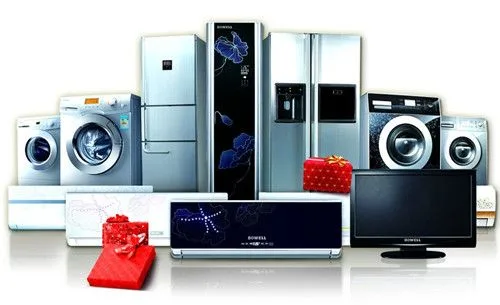
- Smart Appliances: Refrigerators, ovens, washing machines, etc., with Wi-Fi connectivity for remote control and monitoring.
Comparison: Voice Assistants vs. Dedicated Smart Devices
When building a smart home, a key decision is how to manage your devices – through a central voice assistant or through individual device apps and hubs.
| Feature | Voice Assistants (Smart Speakers/Displays) | Dedicated Smart Devices (Individual Apps/Hubs) |
|---|---|---|
| Control Method | Primarily voice commands, with a visual interface on displays. | Smartphone apps, dedicated remote controls, or sometimes their own voice control. |
| Ecosystem Integration | Act as a central hub for controlling multiple devices from different brands (if compatible). | Often designed to work within their own brand's ecosystem, though some offer integration. |
| Setup & Management | Generally straightforward setup via the assistant's app. | Can vary; some are plug-and-play, others require more complex configuration. |
| Functionality | Music playback, information retrieval, timers, alarms, device control. | Specific to the device's purpose (e.g., lighting control, security monitoring, temperature adjustment). |
| Cost | Initial cost for the speaker/display, plus costs of individual smart devices. | Cost of individual smart devices, potentially with additional hub costs. |
| User Experience | Hands-free convenience, natural language interaction. | Visual feedback, granular control over specific settings. |
Ideal for: Voice assistants are ideal for users who want a centralized, hands-free way to control their smart home and access information. Dedicated smart devices are for users who want precise control over specific functions and may prefer a visual interface or a more specialized experience.
Wearable Technology: Fitness Trackers vs. Smartwatches
Wearable technology has moved beyond novelty to become a significant segment of the electronics market, offering devices that seamlessly integrate into our daily lives to track our health, fitness, and provide convenient notifications.
Key Features and Considerations:
- Fitness Tracking: All wearables track basic metrics like steps, distance, and calories burned. More advanced devices monitor heart rate, sleep patterns, blood oxygen levels (SpO2), and even ECG.
- GPS: Essential for accurately tracking outdoor activities like running and cycling.
- Notifications: Receive alerts for calls, texts, emails, and app notifications directly on your wrist.
- Smartwatch Features: Beyond fitness tracking, smartwatches offer app support, contactless payments, music control, and sometimes cellular connectivity.
- Battery Life: Varies significantly, from a few days for feature-rich smartwatches to weeks for basic fitness trackers.
- Durability & Water Resistance: Important for active lifestyles.
- Compatibility: Ensure the wearable is compatible with your smartphone's operating system.
Comparison: Fitness Trackers vs. Smartwatches
The lines between fitness trackers and smartwatches are blurring, but key distinctions remain.
| Feature | Fitness Trackers | Smartwatches |
|---|---|---|
| Primary Focus | Health and fitness monitoring, activity tracking. | Notifications, app integration, communication, alongside fitness tracking. |
| Display | Often smaller, simpler displays, sometimes monochrome. | Larger, full-color touchscreens, capable of displaying more information and apps. |
| App Ecosystem | Limited to basic tracking apps and companion apps. | Access to a wider range of third-party apps, watch faces, and functionalities. |
| Smart Features | Basic notifications, music control. | Contactless payments, voice assistants, calling (on some models), standalone apps. |
| Battery Life | Generally longer, often lasting a week or more. | Shorter, typically 1-3 days, especially with heavy use. |
| Design & Aesthetics | More utilitarian and sporty. | More diverse designs, from sporty to elegant, often more customizable. |
| Price Point | Generally more affordable. | Can range from affordable to very expensive, depending on features and brand. |
Ideal for: Fitness trackers are perfect for individuals primarily focused on monitoring their health and fitness metrics without the need for extensive smartwatch functionalities. Smartwatches are for those who want a more comprehensive device that combines fitness tracking with the convenience of smartphone notifications, app access, and other smart features.
Conclusion: Making Informed Electronic Purchases
The electronics market is a dynamic and exciting space, offering solutions for nearly every aspect of modern life. By understanding the core functionalities, key features, and comparative strengths of different product categories, you can move beyond the hype and make purchasing decisions that truly align with your needs and budget. Whether you're investing in a new smartphone, upgrading your laptop, building a smart home, or choosing a wearable, remember to consider your primary use cases, desired features, and the long-term value each device offers. This comparison has provided a framework, but always conduct further research on specific models and read reviews before making your final choice. Happy shopping!